Posts

Browse the complete archive of tech guides and video companions.

YouTube Thumbnail for How to use Chatgpt on Windows 11

How to use Chatgpt on Windows 11

Published on November 17, 2026

How to Download and Install ChatGPT on Windows 11: A Quick Desktop Setup Guide

Welcome back to Darren’s Tech Tutorials! If you rely on AI for work, study, or daily task management, you probably use ChatGPT quite a bit. But constantly opening a web browser, navigating to the bookmark, and managing extra tabs can get in the way of a smooth workflow.

ChatGPT Windows 11 OpenAI
Read Tutorial

YouTube Thumbnail for Virtualbox install on mac

Virtualbox install on mac

Published on October 5, 2026

# How to Install VirtualBox on a MacBook Neo: A Complete Step-by-Step Guide

Welcome back to Darren’s Tech Tutorials! If you’ve been wanting to run a second operating system—like Windows or Linux—right alongside macOS on your MacBook Neo, virtualization is the way to go.

virtualbox macos virtualization
Read Tutorial
YouTube Thumbnail for HOW TO USE THE TERMINAL IN MAC

HOW TO USE THE TERMINAL IN MAC

Published on June 22, 2026

How to Open Terminal on Mac: The Ultimate Beginner’s Guide

Welcome to another guide from Darren’s Tech Tutorials! If you’re new to macOS or stepping into the world of coding, system management, or quick tech tweaks, the Mac Terminal is one of the most powerful tools at your disposal.

macOS Terminal Command Line
Read Tutorial
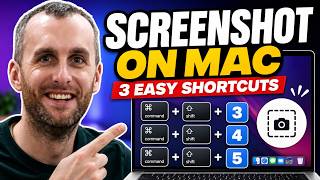
YouTube Thumbnail for How to take a screen shot on Mac

How to take a screen shot on Mac

Published on May 14, 2026

How to Take a Screenshot on a Mac: 3 Easy Shortcuts Every User Should Know

Welcome back to another guide from Darren’s Tech Tutorials! Have you ever needed to quickly save a recipe, capture an error message for tech support, or share a funny snippet from a website, but weren’t sure how to take a screenshot on your Mac?

macOS Mac Apple
Read Tutorial
YouTube Thumbnail for How to login with a PIN on Windows 11

How to login with a PIN on Windows 11

Published on August 4, 2025

Stop Typing Your Full Password: Set Up a Quick Windows Hello PIN Login in Windows 11

Hi guys, this is Darren from Darren’s Tech Tutorials! We’re continuing our series designed specifically for Windows 11 beginners, and today we’re tackling a huge time-saver: ditching that long, complex password for a quick, secure PIN login.

Windows 11 Windows Hello Security
Read Tutorial
YouTube Thumbnail for How to use zip files on windows 11

How to use zip files on windows 11

Published on April 19, 2025

Mastering ZIP Files on Windows 11: Create, Extract, and Manage (No Extra Software Needed)


Introduction: Why You Need to Master the Windows 11 ZIP Feature

Hey tech fans, Darren here!

Windows 11 ZIP Compression
Read Tutorial
YouTube Thumbnail for How to Use Opera on windows 11

How to Use Opera on windows 11

Published on April 6, 2025

How to Download and Install Opera on Windows 11 (Beginner’s Guide)

Hello and welcome back to Darren’s Tech Tutorials! We’re continuing our popular Windows 11 for Beginners series, and today we’re diving into an excellent alternative to the standard browsers: the fast, feature-rich Opera browser.

Windows 11 Opera Browser Web Browsers
Read Tutorial
YouTube Thumbnail for How to use the snipping tool windows 11

How to use the snipping tool windows 11

Published on March 23, 2025

Master the Windows 11 Snipping Tool: Your Complete Guide to Perfect Screenshots

Welcome back to Darren’s Tech Tutorials!

Taking a quick screenshot is one of the most fundamental tasks you do on any computer. While the old Print Screen key works, it often captures your entire desktop, leading to frustrating cropping and editing.

Windows 11 Snipping Tool Screenshots
Read Tutorial